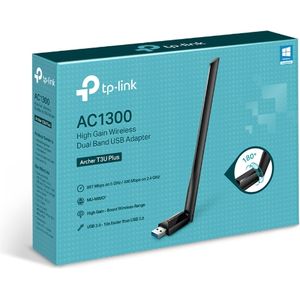
A TP-Link WiFi key is a wireless adapter that allows a computer or other device to connect to a WiFi network, providing fast and stable internet connection.
A TP-Link WiFi dongle is a wireless adapter that allows a computer or other device to connect to a WiFi network. This provides a fast and stable internet connection.
Is the TP-Link WiFi dongle compatible with all devices?
The TP-Link WiFi adapter is generally compatible with most computers and devices that have a USB port. However, it is always best to check the product specifications to ensure compatibility.
How do I install a TP-Link WiFi dongle?
First, install the software provided with the dongle, then plug the dongle into a USB port on your device. Your device should automatically detect the dongle, and you will be able to connect to a WiFi network.
Does the TP-Link WiFi dongle work in all countries?
Yes, the TP-Link WiFi dongle can work in all countries. However, performance may vary depending on local regulations on WiFi frequencies.
What is the range of the TP-Link WiFi dongle?
The range of the TP-Link WiFi dongle can vary depending on the specific model and the usage environment. However, most dongles offer good range for home or office use.
How can I troubleshoot connection problems with my TP-Link WiFi dongle?
If you are experiencing connection problems with your TP-Link WiFi dongle, try restarting your device, reinstalling the dongle's software, or changing USB ports. If the problem persists, contact TP-Link technical support.