USB-C to HDMI, VGA to HDMI, USB extension or power cord: the adapter that links your devices. Find yours.
No products match these filters.
Frequently Asked Questions
How do I connect a recent PC to an old screen?
Which cable for the internet box?
And for the phone?
Which length to choose?
A charger for a laptop?
Which cable or adapter should you choose?
Before buying, identify the two ports to connect: the one on the source device (PC, phone, set-top box) and the one on the screen or peripheral. This category covers video, USB, networking and power.
Connecting a monitor or a projector
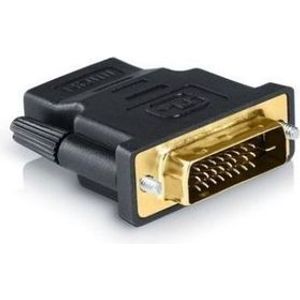
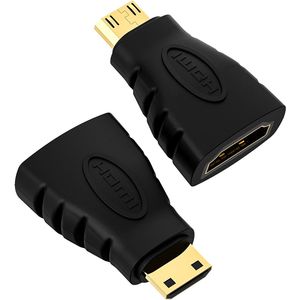
- HDMI: Mini HDMI to HDMI, DVI-D to HDMI, and HDMI to VGA adapters for an older projector. VGA carries only the picture: plan a separate audio cable for sound.
- DisplayPort: DisplayPort or Mini DisplayPort to HDMI and VGA, for desktop PCs and older MacBooks. See also Display Port cables.
- VGA: 3, 5 and 15 m cables, and the Toplink extender up to 60 m for classrooms.
- USB-C: Type-C to HDMI, VGA or DisplayPort adapters for recent laptops, provided the port supports video.
USB and printers
- USB extension cables: from 1.5 to 10 m, male to female.
- Printer cable: USB A to B in 1.5, 5 or 10 m. Beyond 5 m on USB 2.0, the link can become unstable without a repeater.
- RS232: the USB to DB9 cable connects cash registers, scales and older serial devices.
More models in USB cables.
Phone and OTG
Plustar OTG adapters (Lightning or Type-C), ADATA and SanDisk Dual Drive OTG flash drives and the 6 in 1 card reader transfer files between a phone and a flash drive or a card.
Network
If the laptop has no Ethernet port, Type-C to RJ45 or USB 3.0 to RJ45 adapters give a wired connection that is more stable than WiFi. The 3 m RJ45 Cat6 cable completes the setup.
Power
The two-pin or angled-plug mains cable powers laptop chargers, printers and TVs. See Power cables and, for the complete unit, Laptop chargers.