What is the best graphics card for PC gaming in Morocco in 2024?
The choice depends on your budget and the target resolution (1080p, 1440p, 4K). For 1080p, cards like the NVIDIA GeForce RTX 3060 or AMD Radeon RX 6600 XT are excellent. For 1440p, the RTX 4070 or RX 7800 XT offer a great performance/price ratio. For 4K, opt for the RTX 4080/4090 or the RX 7900 XTX. Don't hesitate to consult reviews and benchmarks specific to the games you play.
Should I prioritize NVIDIA or AMD for my new graphics card?
Historically, NVIDIA is often preferred for its Ray Tracing (RTX) technology and its software ecosystem (GeForce Experience, CUDA). AMD often excels in raw performance/price ratio, especially in pure rasterization, and offers solid alternatives with its FidelityFX Super Resolution (FSR) technology.
What is the difference between a graphics card for gaming and one for video editing/production?
Graphics cards for gaming prioritize raw processing power and high frequencies for real-time rendering. For video editing, the amount of VRAM (video memory) and the ability to handle large files and multiple streams are more important. Some professional cards (like NVIDIA Quadro or AMD Radeon Pro) are optimized for these tasks but are generally more expensive.
How do I know if my current graphics card is obsolete?
If you have difficulty running recent games with decent graphics settings, if performance is choppy, or if new technologies (like Ray Tracing) are not supported, your graphics card is likely obsolete. Also, check the system recommendations for the games you want to play.
What is the importance of VRAM (video memory) on a graphics card?
VRAM is essential for storing textures, 3D models, and other graphical data needed to render an image. The higher the resolution and texture quality, the more VRAM is required. For 1080p, 6-8 GB are often sufficient. For 1440p, 10-12 GB are recommended, and for 4K, 12-16 GB or more is preferable.
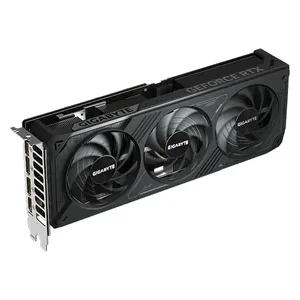
What criteria should I check before buying a graphics card (compatibility, power supply, etc.)?
Make sure the graphics card physically fits in your PC case. Check the recommended power supply wattage for your PC, as graphics cards are the most power-hungry components. Verify compatibility with your motherboard (usually PCIe 3.0 or 4.0; recent cards are backward compatible). Finally, ensure you have the correct connectors on your power supply (PCIe power cables).