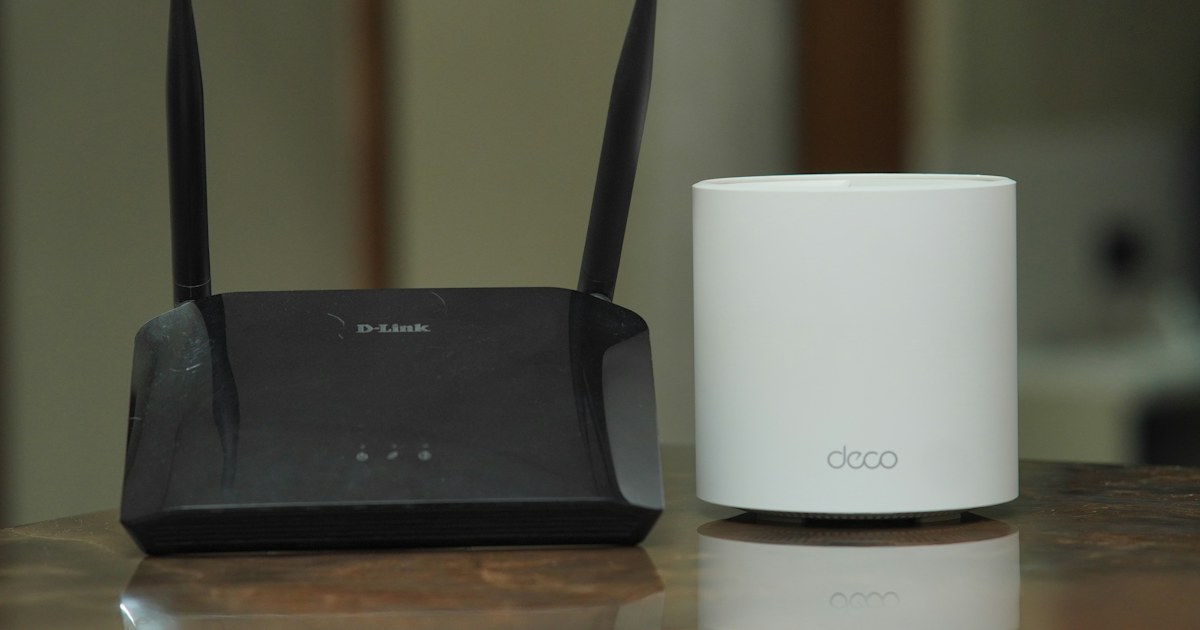
The Wi-Fi works in the living room but drops out in the back bedroom or upstairs. There are four fixes: a Wi-Fi repeater, a powerline (CPL) kit that carries the connection over the electrical wiring, a second router wired to the box and set as an access point, or a Wi-Fi 6 router that takes over from the box. The right one depends on your walls, whether you can run a cable, and how you use the room.
Why the signal does not get through
Wi-Fi loses a lot of strength through dense materials. In Morocco most houses and apartment blocks are built from reinforced concrete and brick, with solid concrete slabs between floors. One slab or one load-bearing wall is often enough to cut off a box sitting on the ground floor.
Other obstacles: metal doors and window grilles, large mirrors, tiled walls, water tanks. A box placed on the floor, behind the TV or inside a cupboard also loses much of its range.
The 2.4 GHz band reaches further and goes through walls better. The 5 GHz band is faster but fades quickly behind one or two walls. In the same spot, a phone can show one bar on 5 GHz and still get a usable 2.4 GHz signal.
Try this before buying anything: raise the box, clear furniture away from it and keep it away from metal. If the dead zone is still dead, you need a second transmitter.
Wi-Fi repeater: simple, if you place it well
A Wi-Fi repeater picks up the box signal and rebroadcasts it further on. It plugs into a socket and pairs in a few minutes with the WPS button on the box.
Its limit: it can only repeat what it receives. A single-band model such as the TP-Link TL-WA865RE or the Xiaomi N300 receives and transmits on the same 2.4 GHz band, which roughly halves the usable speed. A dual-band AC1200 model such as the TP-Link RE305 extender or the Xiaomi AC1200 adds the 5 GHz band, faster for video in a nearby room.
AC1200 reads as 867 Mbps on 5 GHz plus 300 Mbps on 2.4 GHz. These are theoretical per-band figures, not what a single phone will get.
Where to put the repeater
- Halfway between the box and the dead zone, never inside the dead zone. A repeater that receives a weak signal only sends out a weak signal.
- Simple check: a spot where your phone still shows at least two bars of the box network and a video starts without buffering.
- Use the lights: the RE305 has a signal indicator meant for placement, and the Mercusys MW300RE has a multicolour LED that guides you to a good spot.
- Not behind furniture. The TL-WA865RE has a pass-through socket, so the wall outlet stays usable.
- For an upper floor, aim for the stairwell: when it is open, the signal travels up it better than through the slab.
Powerline (CPL): using the electrical wiring
A powerline kit carries the connection over the home’s electrical wiring. One adapter plugs in near the box and connects to it with an Ethernet cable. The second goes in the weak room. Concrete no longer matters, because nothing has to pass through the walls by radio.
There are two kinds. Wired kits, such as the TP-Link AV600 Nano two-pack, give you an Ethernet socket for a PC, a console or a TV decoder. Wi-Fi kits, such as the TP-Link AV1000 powerline kit with AC750 Wi-Fi extender, create a new Wi-Fi network in the far room.
The number on the box (500, 600 or 1000 Mbps) is a theoretical rate over the power line. Real speed is much lower and depends on the wiring. Check the ports too: the AV600 has 10/100 Ethernet ports, so the socket tops out at 100 Mbps whatever the kit number says. For a fast fibre plan, pick Gigabit ports, as on the Mercusys MP500 kit or the TP-Link AV1000.
What makes powerline fail:
- Plugging it into a power strip, especially one with surge protection. Plug it straight into the wall.
- Two rooms on different electricity meters, for example a floor with its own meter. The signal does not cross from one meter to another.
- Old wiring or wiring loaded with noisy devices such as chargers, motors and dimmers: speed drops.
The 300 m range printed on the box is a length of electrical cable, not the distance between two rooms.
A second router as an access point: the most stable option
If an Ethernet cable can run from the box to the other room (spare conduit, along the skirting, through a window), a second router in access point mode gives you full Wi-Fi in the dead zone, without the speed loss of repeating.
Many of the routers and access points in our catalogue offer this mode, for example the TP-Link Archer C64 with Gigabit ports, the TP-Link Archer C24 or the Mercusys AC10. Give the access point the same network name and password as the box, and your devices join it without asking again. Set it to a different channel from the box so they do not interfere.
If your plan is faster than 100 Mbps, avoid 10/100 ports and pick Gigabit ports. If a cable is not possible, the Archer C24, Mercusys AC10 and TL-WR846N also have a repeater mode.
A Wi-Fi 6 router when the whole network is slow
If the Wi-Fi is slow everywhere, even next to the box, or many devices are connected, a Wi-Fi 6 router plugged in behind the box can run the network instead. Then switch off the box Wi-Fi.
Wi-Fi 6 (802.11ax) shares bandwidth better between many devices thanks to OFDMA: phones, TVs, cameras and consoles at the same time. It does not go through concrete any better, a slab is still a slab. The TP-Link Archer AX53 (AX3000, 160 MHz channels) and the TP-Link Archer AX12 (AX1500) are two examples.
To cover several floors without cable, a mesh system links several units into one network. The Huawei AX3 Wi-Fi 6 Plus router supports HUAWEI Mesh+, the Mercusys MR30G supports EasyMesh, and the TP-Link RE315 extender works with OneMesh alongside a compatible TP-Link router.
The options side by side
| Option | Speed in the dead zone | Concrete walls | Setup | When to choose it |
|---|---|---|---|---|
| Single-band repeater | Roughly halved | Needs a good signal where it sits | A socket and the WPS button | Next room, browsing |
| Dual-band repeater | Better, 5 GHz available | Needs a good signal where it sits | A socket and the WPS button | Video in a nearby room |
| Powerline kit | Depends on the wiring | No effect | Two sockets on the same meter | A floor or room behind a slab |
| Router as access point | Full | No effect, the cable goes through | Run an Ethernet cable | Home office, TV, gaming |
| Wi-Fi 6 or mesh router | Full within its coverage | Same limit as any Wi-Fi | Plugged in behind the box | Many devices, large house |
No fixed line: the 4G router
In a home without ADSL or fibre, a holiday house or a temporary site, a 4G router creates Wi-Fi from a SIM card. There are two formats:
- The fixed router, such as the TP-Link TL-MR100: Micro SIM, up to 32 devices, two detachable 4G antennas, a LAN/WAN port.
- The battery pocket router, such as the D-Link DWR-930M (Nano SIM, 3000 mAh, up to 8 devices).
Check before buying: the SIM size it takes and the LTE bands it supports. The JioFi WD680+, for instance, lists only bands B1, B3, B5 and B40. Compare them with the bands your operator uses in your area.
4G speed depends first on reception. Put the router near a window, on the highest floor, away from thick walls. On a router with detachable antennas, 5 dBi SMA 4G antennas can improve reception, provided the connector really is male SMA.
Our advice
- A neighbouring bedroom, browsing and social media: a dual-band repeater such as the RE305, placed halfway.
- A floor separated by a concrete slab: a Wi-Fi powerline kit, or a wired Gigabit powerline kit if the room has a TV or a desktop PC.
- Home office or games console: an Ethernet cable and a router as an access point, otherwise Gigabit powerline.
- Slow Wi-Fi in the whole house with many devices: a Wi-Fi 6 router behind the box, then a mesh unit if one floor is still poorly covered.
- No fixed line: a 4G router with external antennas, placed near a window.


