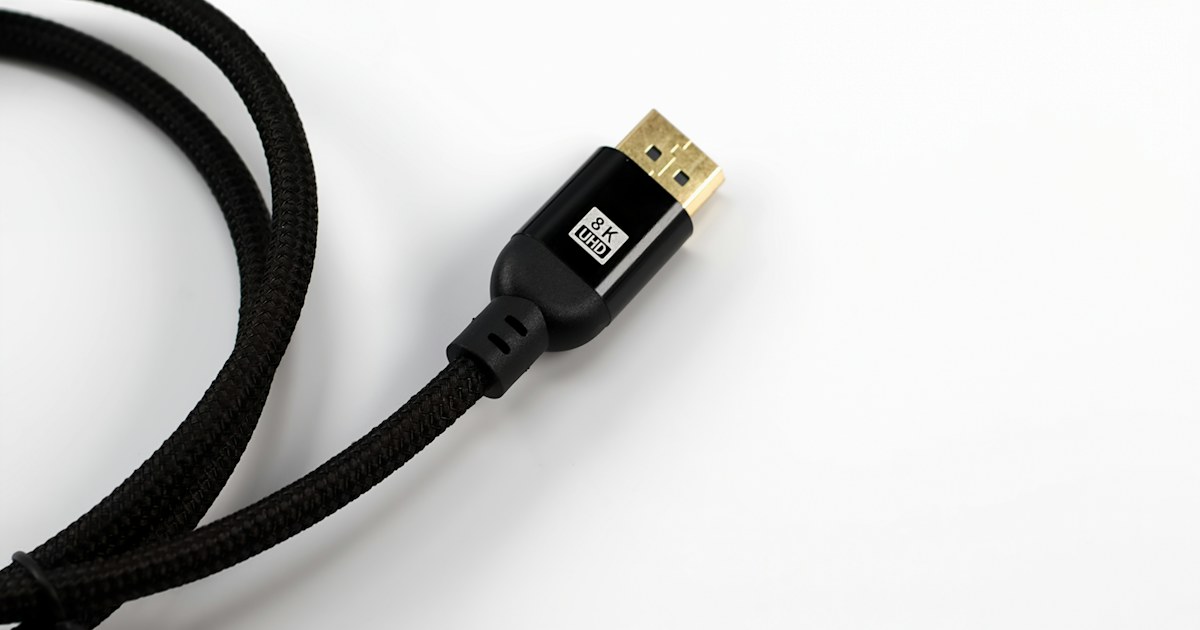
Two HDMI cables can look the same, yet one will carry a console at 4K 120 Hz while the other drops out above Full HD. The difference is not the price or the thickness of the jacket. It is the bandwidth the cable can handle, its length, and the ports on the devices at each end. Here is how to read HDMI versions and certification names, and when to use an adapter, a splitter, a switch or an RJ45 extender instead.
HDMI 1.4, 2.0, 2.1: what each version carries
The HDMI version describes the ports on your devices first: the TV, the console, the PC, the set-top box. Each version raises the maximum bandwidth, measured in gigabits per second. The higher it is, the sharper the picture and the more often it can refresh.
| Version | Max bandwidth | What it allows | Matching certified cable |
|---|---|---|---|
| HDMI 1.4 | 10.2 Gbit/s | 1080p at 60 Hz, 4K at 30 Hz, ARC | High Speed |
| HDMI 2.0 | 18 Gbit/s | 4K at 60 Hz, HDR from 2.0a | Premium High Speed |
| HDMI 2.1 | 48 Gbit/s | 4K at 120 Hz, 8K at 60 Hz, VRR, eARC | Ultra High Speed |
The Hz figure is the number of frames shown per second. 60 Hz is enough for TV, films and office work. 120 Hz makes games smoother, as long as the console or graphics card and the screen both support it.
Check this: a TV can have four HDMI inputs with only one or two of them at 2.1. They are marked 4K 120Hz or HDMI 2.1 on the back or in the manual. A console plugged into another input stays at 4K 60 Hz. Also, HDMI 2.1 on a spec sheet does not guarantee every feature: look for 4K 120 Hz stated in plain words.
Certification names to look for on the box
Officially, a cable has no version number. HDMI 2.1 cable is a marketing shortcut. What matters is the certification category, tied to bandwidth:
- High Speed: 10.2 Gbit/s. Enough for 1080p, a TV box, a satellite receiver, a desktop PC.
- Premium High Speed: 18 Gbit/s. The minimum for 4K at 60 Hz with HDR.
- Ultra High Speed: 48 Gbit/s. Required for 4K at 120 Hz and 8K.
Certified Premium High Speed and Ultra High Speed cables carry a label with a QR code you can scan with the official HDMI certification app. It is the surest way to spot a fake.
A faster cable still works with older devices, but it does not improve the picture: a box that outputs 1080p looks the same over a High Speed or an Ultra High Speed cable. Choose for the most demanding device in the chain. The shop lists Full HD HDMI cables and 4K HDMI cables separately, with every length under HDMI cables.
Length: where a passive cable stops
A standard HDMI cable is passive: it only carries the signal, which weakens with distance. The higher the bandwidth, the shorter the usable length.
- At 1080p, a passive cable usually works up to 10 or 15 m.
- At 4K 60 Hz, keep it short when you can. A 3 m 4K HDMI cable covers most TV stands.
- At 4K 120 Hz, passive Ultra High Speed cables are mostly sold in short lengths.
Signs of a cable that is too long or too weak: the screen goes black now and then, white dots appear, the picture cuts out for a few seconds. Before running a long cable inside a wall or trunking, test it in real conditions at the resolution you will use.
Beyond that: an HDMI extender over RJ45 cable
For a projector at the back of a room, a reception screen, or a monitor far from a CCTV recorder, an HDMI to RJ45 converter sends the signal over a network cable. A transmitter plugs in at the source, a receiver at the screen, and an Ethernet cable links them.
The shop carries two 1080p examples: an HDMI RJ45 extender up to 30 metres and an HDMI over Cat6 extender up to 60 metres. Three checks: the cable category required (Cat6 for the 60 m model), one continuous cable run with no network switch in between unless the maker says otherwise, and power for each unit. If the screen is for a recorder, our DVR or NVR guide covers the rest of the setup.
Adapters: direction matters
An adapter links an output to an input of another type. Direction matters: read it from the source to the screen. The shop’s HDMI adapters cover the common cases.
- USB-C to HDMI: the USB-C port on the laptop or tablet must output video, through DisplayPort Alt Mode or Thunderbolt. A DisplayPort logo or a lightning bolt next to the port shows it. Many entry-level phones do not output video over USB-C. The Type-C to HDMI adapter states this requirement. Also check whether an adapter lists 4K at 30 or at 60 Hz.
- DisplayPort to HDMI: works from a PC with DisplayPort to an HDMI screen. The other way, from an HDMI source to a DisplayPort screen, needs an active converter.
- HDMI to VGA: VGA is analogue, so the adapter has to convert the signal. VGA carries no sound. Plan speakers on the adapter’s audio output if it has one, or on the computer.
- DVI-D to HDMI: the same digital video signal, no conversion. Sound usually does not pass.
- RCA to HDMI: to connect an old receiver or player to a recent TV. The picture keeps the resolution of the source.
HDMI splitter or switch: do not mix them up
An HDMI splitter takes one source and sends it to several screens, with the same picture on each: shop windows, a waiting room, two TVs on one receiver. For protected 4K content it must support HDCP 2.2. When the screens have different resolutions, many splitters fall back to the lowest one.
An HDMI switch does the opposite: several sources to one screen, one at a time. It is the answer when the TV runs out of inputs for the console, the box and the PC. Models with a remote save you from pressing the button on the unit.
Product names sometimes mix both terms. Go by the count of inputs and outputs: 1 input and several outputs is a splitter. Several inputs and 1 output is a switch.
ARC and eARC: TV sound to the soundbar
ARC sends the TV’s sound, apps and channels included, back to a soundbar or amplifier over the same HDMI cable, with no optical cable. Plug the cable into the input marked ARC on both sides and turn on HDMI-CEC in the TV settings. ARC carries stereo and compressed 5.1 sound such as Dolby Digital.
eARC, introduced with HDMI 2.1, also carries lossless formats such as Dolby TrueHD and DTS-HD Master Audio, and Dolby Atmos in those formats. Both the TV and the soundbar must support eARC. For the cable, a High Speed with Ethernet or an Ultra High Speed cable works.
Our advice by use
- TV box, receiver or desktop PC at 1080p: a Full HD cable at the right length, with no spare coiled behind the stand.
- 4K TV with a box or player at 4K 60 Hz: a Premium High Speed 4K cable, as short as possible.
- Recent console at 4K 120 Hz: a certified Ultra High Speed cable, plugged into the TV’s HDMI 2.1 input, with 120 Hz mode turned on in the console.
- Projector or screen more than 15 m away: an HDMI over RJ45 extender rather than a very long passive cable.
- Laptop without an HDMI port: a USB-C to HDMI adapter, once you have checked that the port outputs video.
- One source, several screens: a splitter. Several sources, one screen: a switch.


